Lesswhelmed.
Sign up free

The life-context engine

Your life, in context.

Capture anything — links, photos, notes, repositories, videos, documents, voice memos — and Lesswhelmed drafts a clean, organized post you review and keep. Every capture becomes private context about your life, and the longer you use it, the more it understands.

iOS app · also on the web · No tracking

Specimen · DemoI · Capture
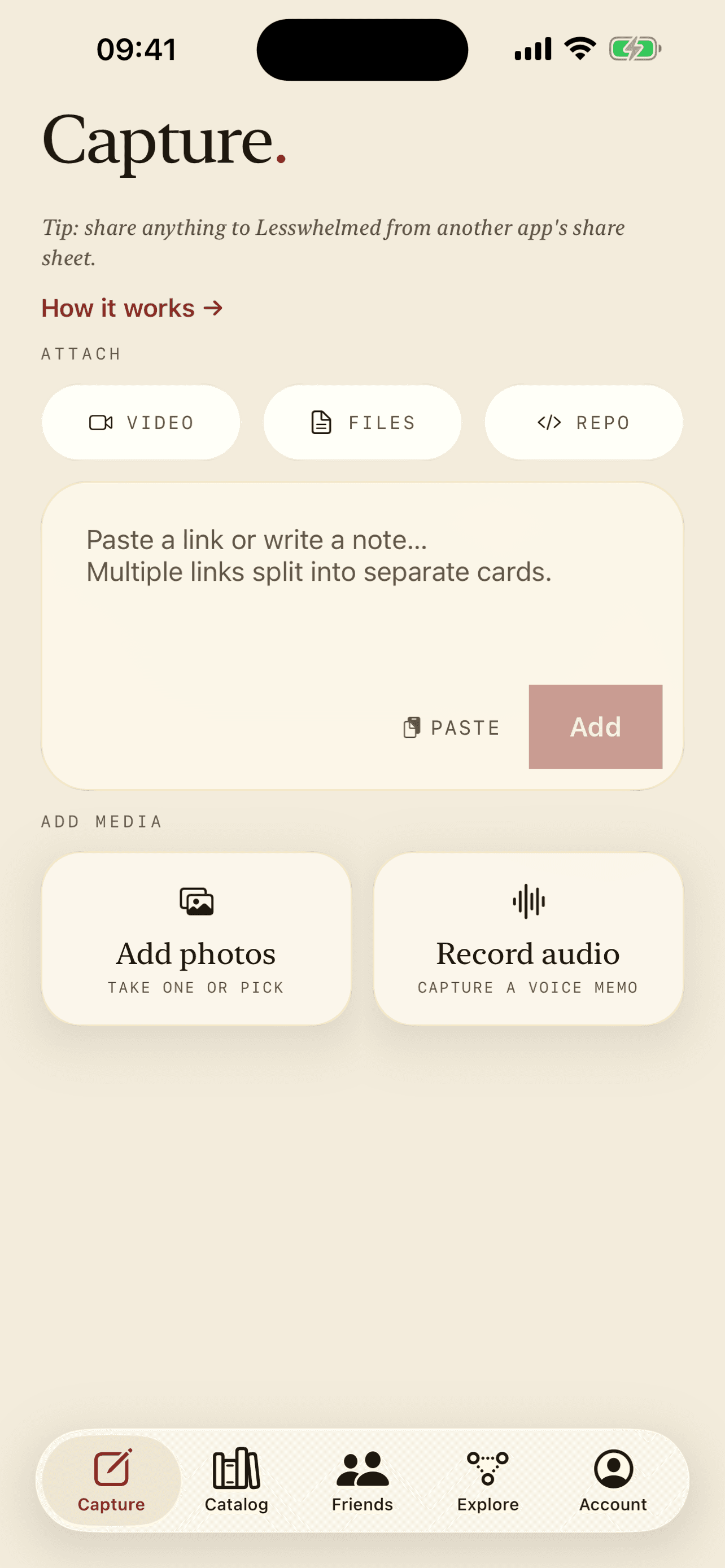
The Lesswhelmed capture screen

The whole point

From clutter to context.

Paste a link or jot a note. Lesswhelmed reads what you gave it, writes the title, summary, tags, and details, and files it as context you can use later. On iPhone it can even draft on-device.

Raw · what you paste

https://example.com/a-very-long-article-you-meant-to-read

+ “remember this for the kitchen reno thing — the bit about cabinet hardware”

Context · what you getNo. 001 · Finding

Cabinet hardware that earns its keep

A clean summary of the article, pulled together with your note — the argument for solid-brass pulls, the trade-offs, and the one detail you wanted to keep.

renovationkitchenhardwarefinding

How it works

Capture · Draft · Organize · Publish

  1. The Lesswhelmed capture screen
    I

    Capture

    Paste a link, snap a photo, jot a note, or record a voice memo. The iOS share sheet means anything can land in Lesswhelmed in two taps.

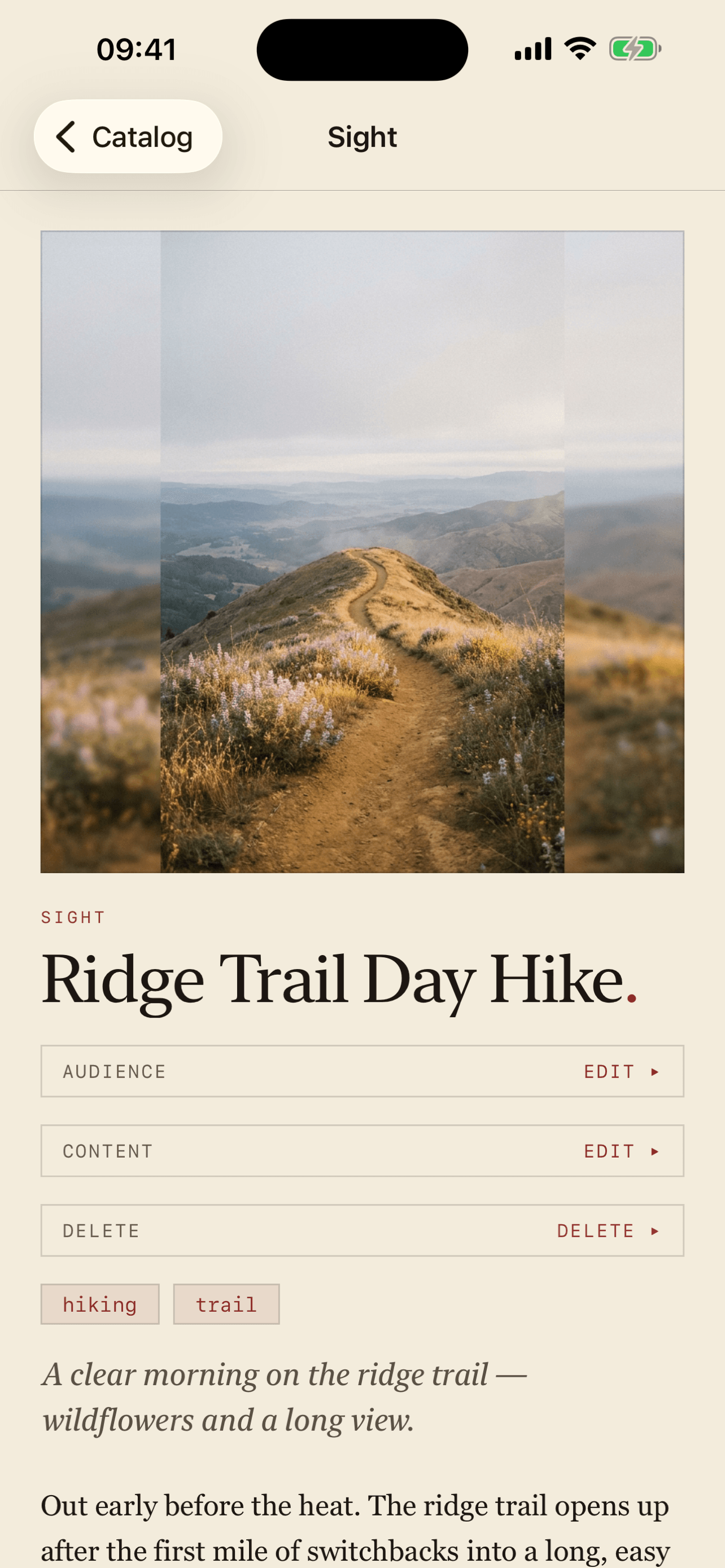
  2. A finished post detail screen
    II

    Draft

    Lesswhelmed reads what you submitted and writes a structured post — title, summary, tags, and details — that you review before keeping.

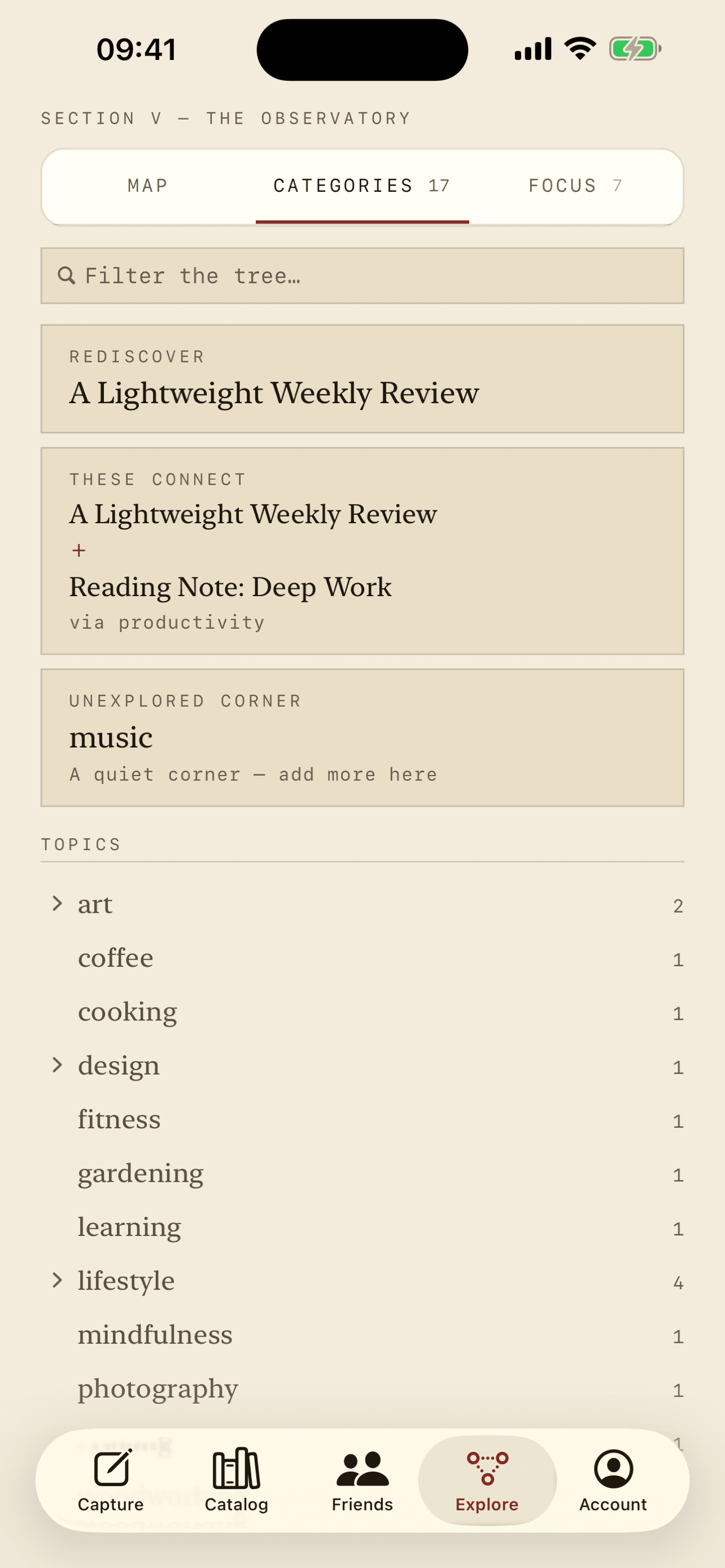
  3. The Tree taxonomy screen
    III

    Organize

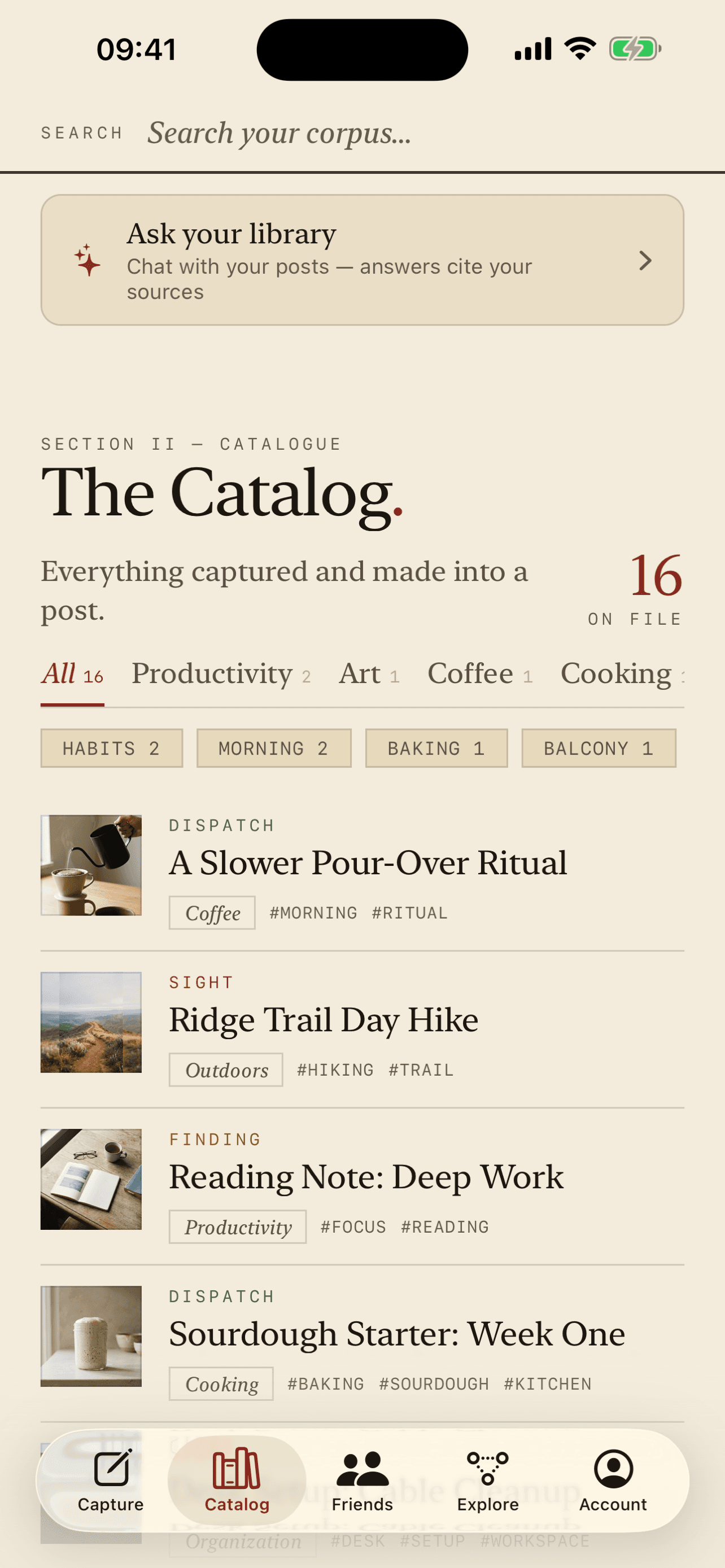
    Everything lands in your catalog and sorts itself by theme — building a map of your context. The Tree groups related entries so your collection stays navigable.

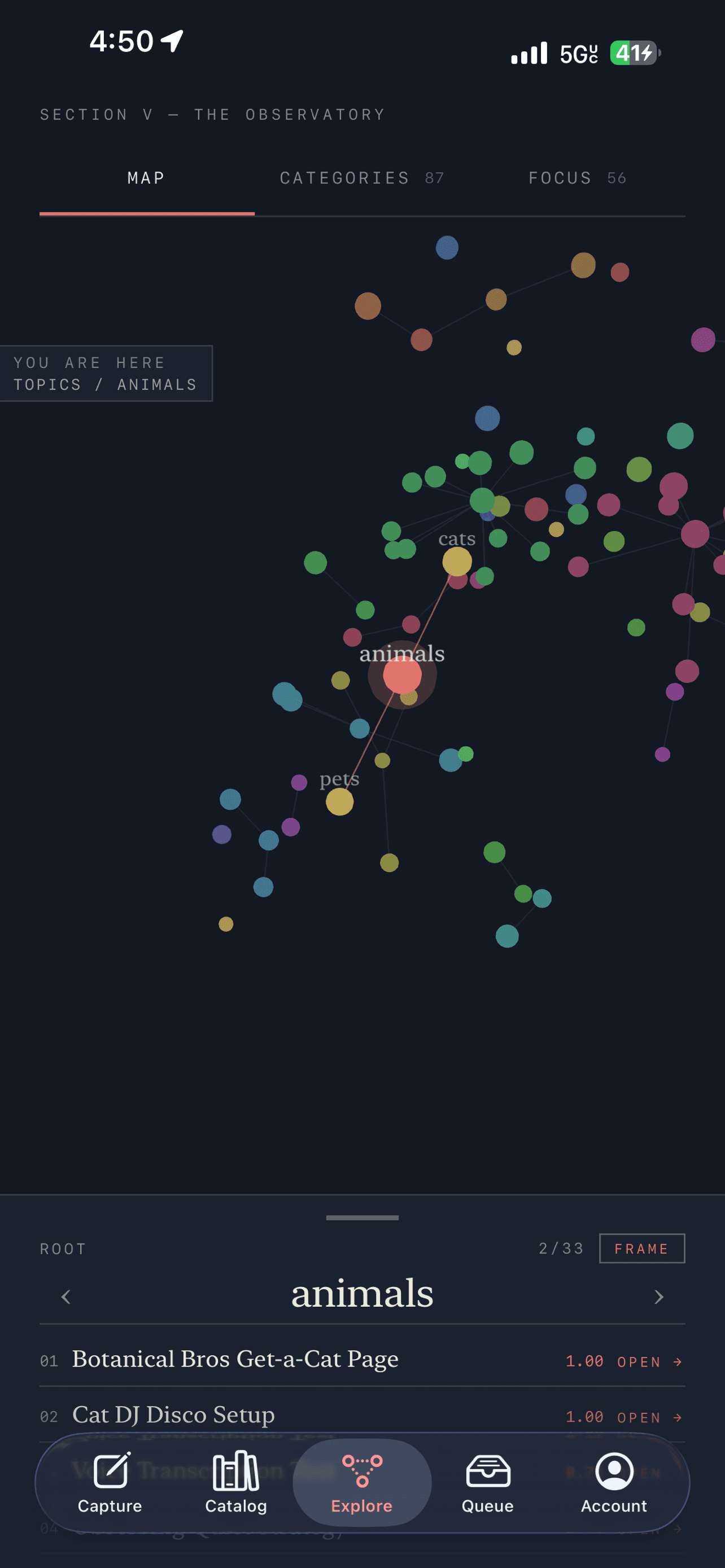
  4. The catalog library screen
    IV

    Publish

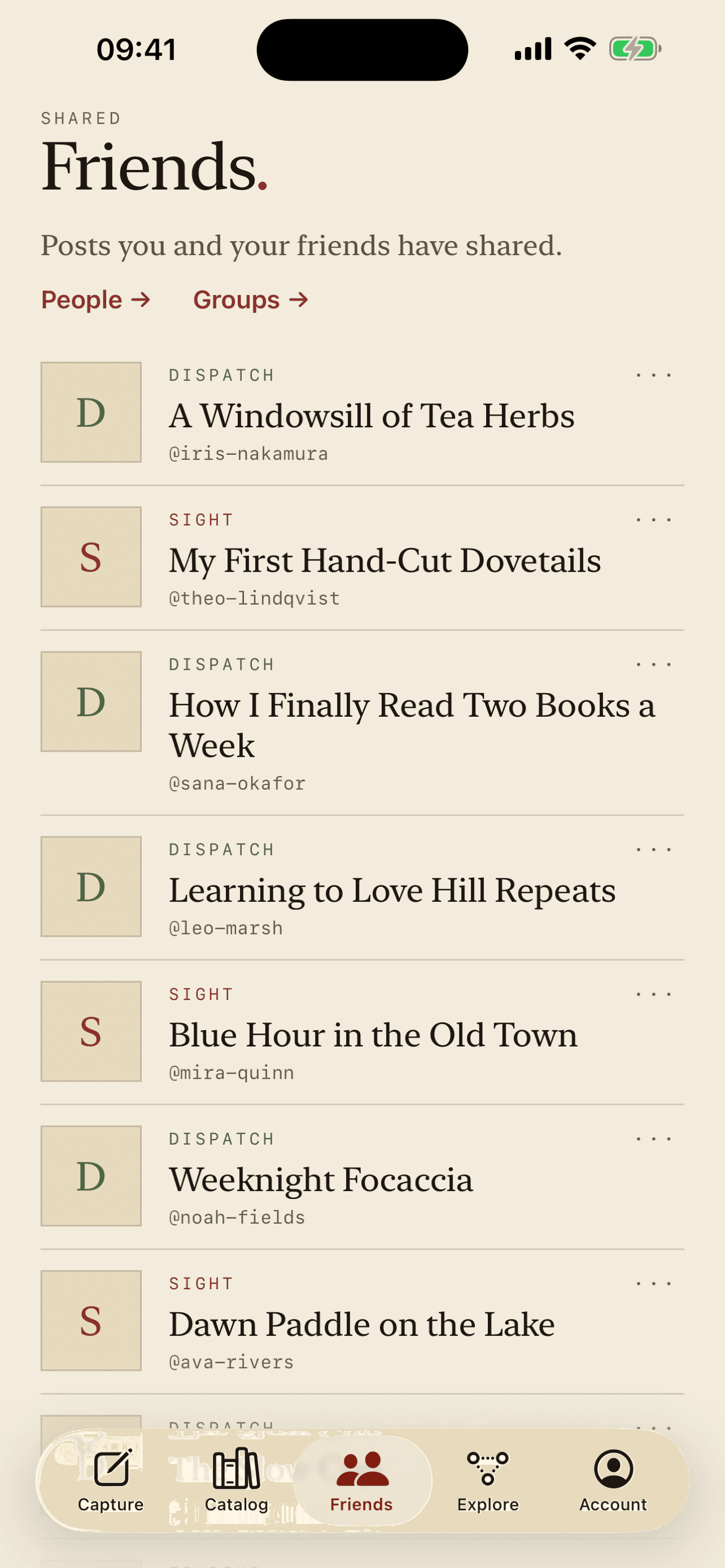
    Keep an entry private, or publish it to your own catalog. Visitors can reach you through an inquiry form on your public page.

What's inside

Six things it does well

01

Capture anything

Links, photos, notes, code repositories, videos, documents, and voice memos — the raw material of your life, in one inbox.

02

AI drafting

Raw input becomes a structured post — not a dead bookmark. You always review before it's kept. On iPhone it can draft on-device.

03

Your catalog

Your whole library in one place, from first draft to published entry — a growing map of your context, searchable and yours.

04

A live queue

Watch each capture move from pending to processing to done. Nothing gets lost on the way in.

05

The Tree

Explore everything by theme, category, and the focus areas it belongs to — related entries group themselves so the collection stays legible as it grows.

06

Your data, your terms

Originals stay private and you can export everything you've put in. No third-party ads, no cross-app tracking.

Capture now. Sorted later.

Every capture becomes context.

The longer you use it, the more it knows.

Less to hold in your head. More room for what matters.

On privacy

No third-party advertising. No cross-app tracking.

Your originals stay private, and you can export everything you've put in, whenever you want. Nothing is published unless you choose to publish it.

Start saving your context.

Stop losing the context of your life to a hundred open tabs. Capture it, and let Lesswhelmed turn it into something you can actually use. Feel lesswhelmed.

iOS app · also on the web · No tracking